
In current times, the internet is the most valuable tool for both businesses and individuals. Despite this, there are times when you may want to get some pages or certain content off of Google’s search results. Such pages may contain old content that needs to be removed, some confidential information, or even content that fails to capture the image of what your organization represents.
In such scenarios, it is essential to know how to remove any such pages from the Google index to prevent the credibility of your site from going down.
In this guide, we will walk you through every steps involved in deindexing a page from Google.
Table of Contents
Why Deindex a Page from Google?
Now let’s move to the ‘how’ segment of the guide. This section will help you understand the situations where you need to deindex a page from Google. It could be for any of the following reasons.
- Outdated or irrelevant content: Old product pages and blog posts, or superficial promotions are a few examples of content that you will want to hyper-target and prevent search engines from showing to users, as they do not serve a relevant purpose.
- Duplicate content: Websites with duplicate content will be penalized by Google. Some of the factors that contribute to duplicate content in websites are multiple pages with very similar content. Deindexing these pages can boost the overall SEO performance of the website.
- Private or sensitive information: There are circumstances when a page should be deindexed because it has information that is no longer necessary to be public, such as personal information or documents from within the company.
- The problem of incorrect or low-quality content: Should there be a case where you publish any information or content that is inaccurate or affects the overall reputation of your website, you can use deindexing to help minimize the negative consequences.
- Legal or compliance reasons: In some circumstances, there could be a need to exclude some content from appearing in the search results due to legal, copyright, or privacy issues.
Regardless of what your reason may be, knowing how to deindex a page is one of the skills you will need when dealing with the online presence of your website.
How to Deindex a Page from Google
There are various techniques that you can employ to remove a page from a Google index search. Each one is meant for a different purpose, so choose the right one depending on your needs.
Using the “noindex” Tag
Using a noindex meta tag is a simple way for webmasters to stop Google from adding a specific page to its index. If Google finds a noindex tag, that page won’t appear in search results.
Steps:
					Add the following line to the HTML  section of the page you want to deindex:

<meta name="robots" content="noindex">

Once Google crawls the page again, it will be deindexed.
This method is ideal if you want to keep the page live on your website but hidden from search engines.
Using Google Search Console
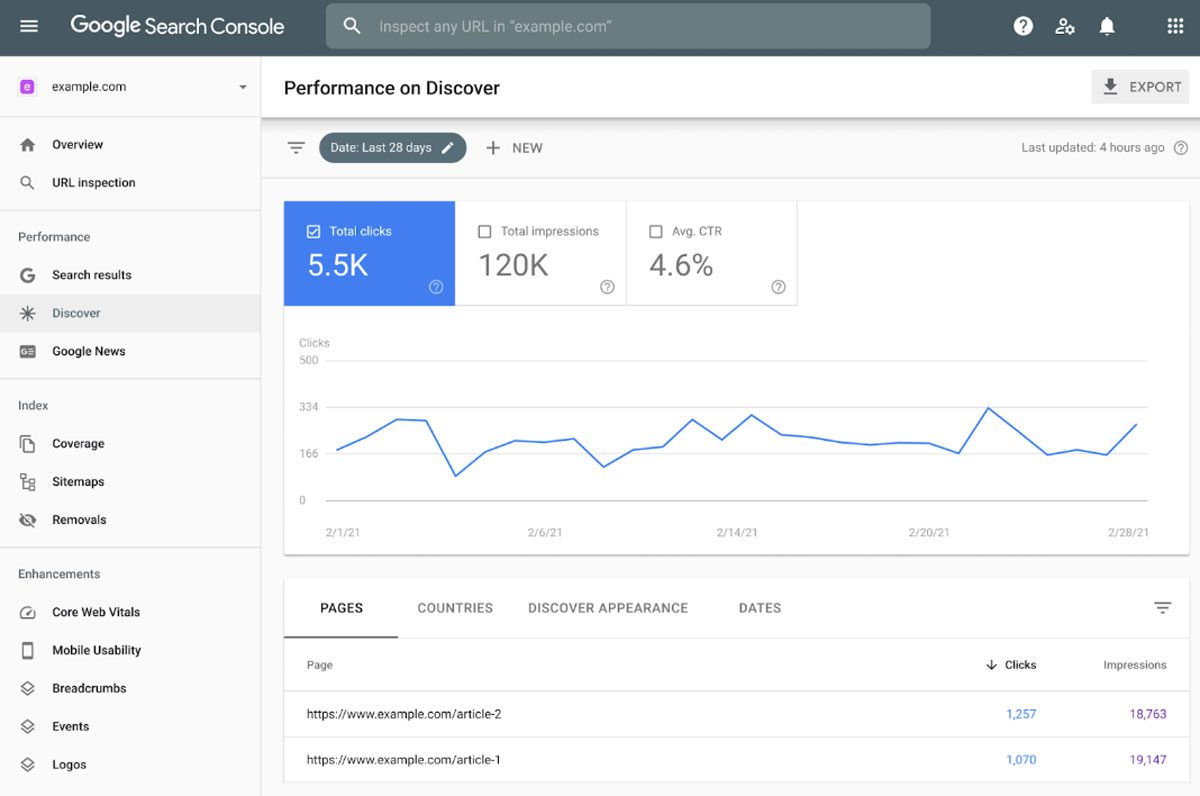
Google also has a separate tool available within Google Search Console to remove URLs from the search results. This technique is effective for pages that you want to remove from Google as fast as possible and is ideal for cases that require immediate removal.
Steps:
- Log into your Google Search Console account.
- In the left-hand menu of the screen, under the Index section, click Removals.
- Click on New Request and type the address on the page you want to deindex.
- You can choose between a temporary removal (which conceals the page from search engines for six months) or a clear cache request to erase obsolete materials from the active content.
This option is faster than relying on Google’s natural crawling and is often used when the deindexing needs to happen urgently.
Blocking the Page With robots.txt
The robots.txt file makes it possible for you to prevent search engines from crawling your website or certain portions of your site. Although it does not result in an immediate deindexing, preventing the page from being fetched triggers a series of events that will eventually lead to the page being removed from Google’s index.
					User-agent: *
Disallow: /getridofthis/
And then sit back and wait for Google to recrawl your site. Eventually, the page will be de-indexed.
It works well if you want to prevent entire parts of your website from being indexed; for example, an admin panel or private sections.
Remove a Page from Google Search Results (URL Removal)
The robots.txt file makes it possible for you to prevent search engines from crawling your website or certain portions of your site. Although it does not result in an immediate deindexing, preventing the page from being fetched triggers a series of events that will eventually lead to the page being removed from Google’s index.
Steps:
- Open the Search Console.
- Go to the “Removals” section.
- Select the option of Temporary Removals.
- Enter the specific URL of the page to have it deleted.
- Fill out the request and wait for Google to confirm
Note that this is just a short-term fix and you will want to take further measures like no indexing or by eliminating the page from your site altogether.
Redirecting the Page
If a page is redirected to another URL, Google will eventually deindex it as the new page takes its place. A common practice, when content is merged or being retired after becoming outdated.
Steps:
- Issue a 301 redirect from the page you wish to be deindexed to another appropriate page on your site.
- Over time, Google will deindex the old page and pass on any authority it had to the new URL.
It works well when you are handling a large-scale content overhaul or restructuring your site.
Common Mistakes to Avoid When Deindexing Pages

- Failure to check the robots: Always check that the robots.txt file isn’t accidentally blocking the crawler from important pages.
- Using the wrong approach to deindex: You need a different method based on why you are trying to deindex your site.
- Not monitoring progress: Always review the GSC to see if a deindex request is processed so you’re certain that the whole deindexing process worked perfectly.
Best Practices for Deindexing Pages
- Noindex tag for temporary content: If you are posting seasonal or limited-time content, adding a “noindex” tag from the start prevents you from having to remove it later.
- Regularly audit your content: Deindexing should be part of your ongoing content strategy. Regularly review and assess which pages need to stay indexed and which need to be hidden from search engines.
- Double-check in Google Search Console: After using the available tools, always review in Google Search Console to verify that the page has been removed and is no longer showing up in searches.
Final Thoughts
Your knowledge on deindexing a page from Google comes in handy in improving your SEO and equips you to handle your online reputation. While deleting old content, moving sensitive data or even just duplicating your pages, many tools and techniques can help reclaim your search visibility.
Want to make your site better or fine-tune your SEO strategy for more traffic? Get in touch with Lead Nicely.


